Updated November 25, 2026 | 12 min read
Summary
SaaS help desk software centralizes customer conversations from email, chat, Slack, Microsoft Teams, and ticket forms into one cloud-based queue so B2B teams can route, prioritize, and resolve issues with full account context. For a ranked shortlist of specific vendors, see our companion guide to the best SaaS help desk software and ticketing systems for B2B teams in 2026.
Key takeaways
- One queue across B2B channels: Modern SaaS help desks pull email, in-app chat, Slack Connect, Microsoft Teams, Discord, WhatsApp, and forms into a single workspace so teams stop losing context across apps.
- Agentic AI goes beyond suggested replies: AI agents investigate connected tools, apply reusable Skills, resolve routine questions autonomously, and escalate complex issues with full context attached.
- Account context ties support to retention: Connecting support issues to CRM fields, product usage, and health scores lets support and customer success work from the same account record.
- Compare seats plus AI billing: Headline seat prices only tell half the story; check whether AI runs on credits, per-outcome fees, session packs, or per-seat add-ons before committing.
What is SaaS help desk software?
SaaS help desk software is a cloud-based platform that centralizes your customer support operations. It combines ticketing, SLA tracking, knowledge management, reporting, and omnichannel messaging in a browser-accessible workspace instead of self-hosted servers.
Every inbound request becomes a trackable issue or ticket. Whether a customer writes in over email, chat widget, Slack, Microsoft Teams, or a ticket form, the help desk keeps the thread synced, assigns ownership, tracks SLAs, and builds a searchable history tied to that customer and account.

Why B2B teams need SaaS help desk software
B2B customers expect fast answers in the channels where they already work, and each account often involves multiple stakeholders across engineering, operations, and leadership.
Faster response times across every channel
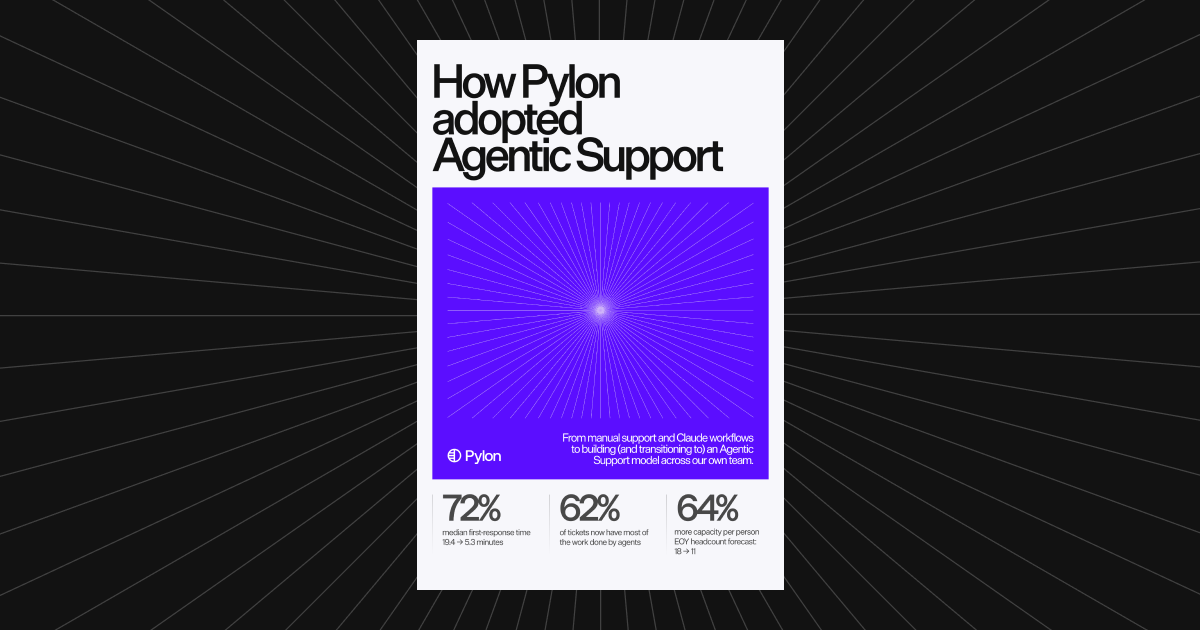
When email tickets, Slack threads, Microsoft Teams conversations, and chat messages land in one inbox, agents spend their time solving problems instead of switching tabs or asking customers to repeat context. Sardine cut first response time 90%, from 35 minutes to under 3.5 minutes, after moving to Pylon. Our own support team's median first-response time fell 72%, from 19.4 to 5.3 minutes, as we share in our ebook How Pylon adopted Agentic Support.
Better customer retention through unified data
Connecting support interactions to account health and renewal timing helps teams catch churn risk early. When support and customer success share one platform, an open bug or spike in frustration on a renewing account is visible immediately to everyone working the customer retention motion.
With Pylon's Account Intelligence add-on ($10 per customer account/month, 50-account minimum), teams get health scores, account notebooks, AI fields, and the CSM Home View built from live support, call, and CRM signals.
Less manual work with AI agents and automation
Modern SaaS help desks automate routing, tagging, field population, and first-pass investigation. In Pylon, Support Agent resolves common customer questions end to end, Assist Agent investigates issues and runs actions across connected tools alongside your team, Slack Agent answers internal questions directly in Slack, and Automations execute event-driven workflows using reusable Skills.
Essential features of modern SaaS help desk software
Here is what separates basic shared inboxes from modern B2B help desk platforms:
- Account-aware ticketing: Turns messages from every channel into trackable issues linked to customer accounts, SLAs, priorities, and owners.
- Native omnichannel support: Manages email, chat widget, Slack Connect, Microsoft Teams, Discord, WhatsApp, SMS, and phone in one queue with replies synced back to the original thread.
- Knowledge base and customer portal: Publishes searchable self-service docs, lets customers track tickets in a portal, and identifies documentation gaps from real conversations.
- Agentic workflows and Skills: Pairs deterministic triggers and routing rules with AI agents that follow documented team procedures across your stack.
- Reporting and analytics: Tracks first-response time, resolution time, SLA compliance, CSAT, and AI agent performance.
Omnichannel support management
Omnichannel support means customers can reach you wherever they work while your team operates from one queue. Pylon includes Slack (Slack Connect, community, and internal channels), email, chat widget, Discord, WhatsApp, Telegram, SMS, and ticket forms on every plan, adds Microsoft Teams and Google Chat on Advanced and Enterprise, and offers Phone as a $35 per seat/month add-on.
AI-powered automation and agents
AI agents handle routine questions automatically and run pre-investigation on complex issues before a human opens them. Powered by the Nexus agent harness, Pylon's agents pull support history, account context, and product knowledge under permissioned guardrails, and produce full execution traces so teams can audit and improve every run.
Deep integration capabilities
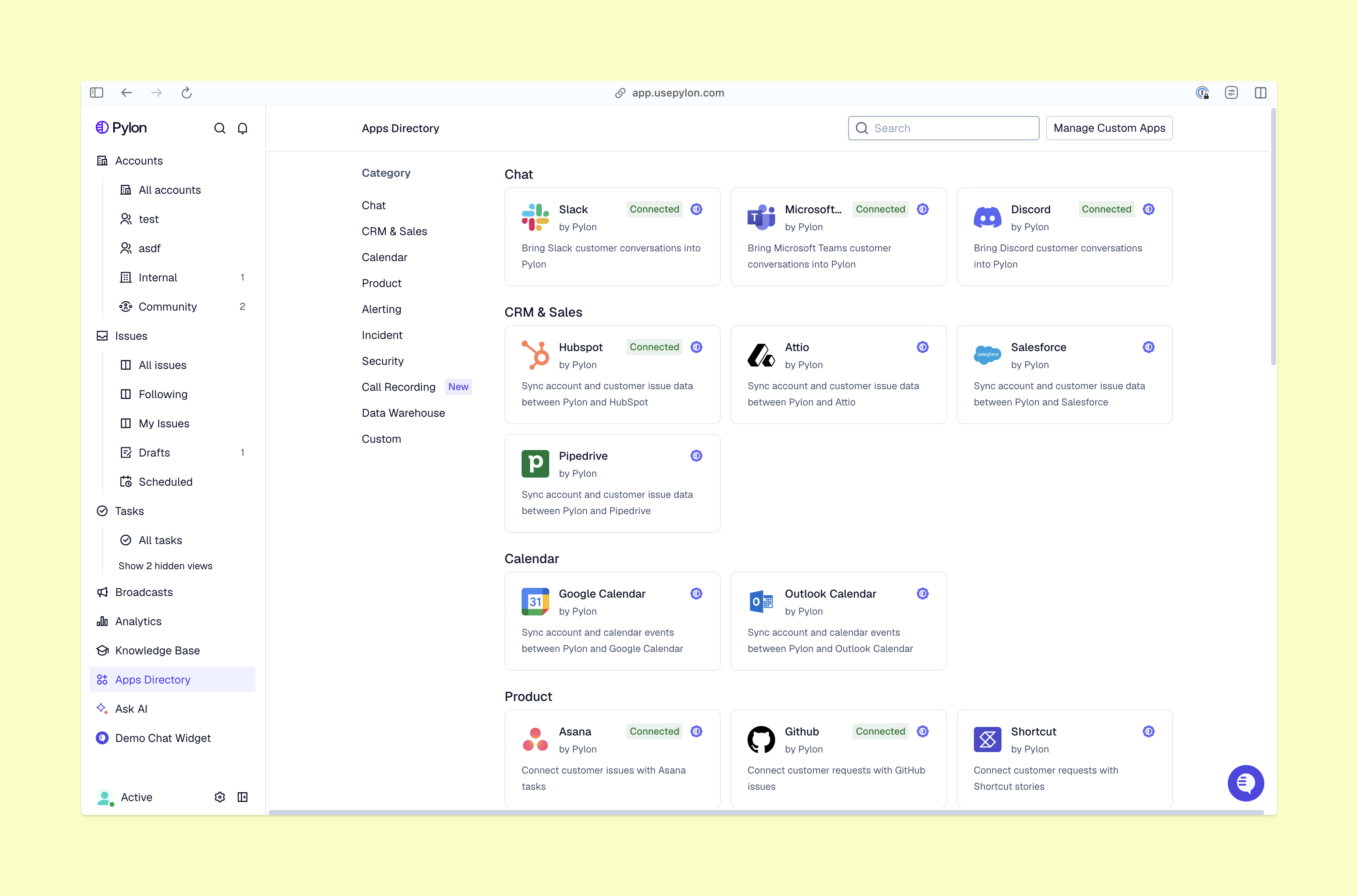
Your help desk should connect natively to your CRM, issue tracker, call recorder, and data warehouse. Pylon integrates with HubSpot and Salesforce on every plan (with two-way field sync and daily AI conversation summaries logged to the CRM account), connects to engineering tools like Linear and Jira, and provides a Pylon MCP server and MCP connectors on every plan.
Customizable workflows and rules
Look for flexible routing, custom views, required and conditional fields, triggers, and SLAs by account tier so the tool adapts to your support processes instead of forcing rigid workarounds.
Types of SaaS help desk software
Most SaaS help desk platforms fall into four practical categories:
B2B agentic support platforms: Built for named accounts, multi-stakeholder conversations, shared Slack and Microsoft Teams channels, and AI agents integrated into the core workflow. Pylon leads this category for B2B companies.
Legacy enterprise suites: Broad ticket-centric platforms like Zendesk and Salesforce Service Cloud designed for large, admin-managed support centers and deep app marketplaces.
Email-first shared inboxes: Lightweight tools like Help Scout and Front built around shared email workflows and smaller or agency-style teams.
Omnichannel and product-led platforms: Tools like Intercom (Fin) for in-app messaging or Freshdesk for broad SMB channel coverage. See our full breakdown of 10 B2B customer support platforms compared.
How to choose the right SaaS help desk software
Use this five-step evaluation process to pick a platform that fits how your team actually works:
Step 1: Map your support channels
List every channel customers use today: email, Slack Connect, Microsoft Teams, in-app chat, Discord, or ticket forms. If shared Slack channels carry a large share of your B2B volume, prioritize a platform built for Slack customer support rather than a notifications-only integration.
Step 2: Separate must-haves from add-ons
Identify non-negotiable requirements such as account-tier SLAs, bi-directional engineering escalations, customer portals, or SAML SSO, and verify which plan includes them.
Step 3: Verify CRM and engineering sync
Check whether CRM integration is two-way or read-only, and how cleanly support tickets link to Linear, Jira, or GitHub issues without manual copy-paste.
Step 4: Model total cost at 2x volume
Check both seat pricing and how AI usage bills as ticket volume grows: credits, per-outcome or per-resolution charges, session packs, or per-seat Copilot add-ons.
Step 5: Run a trial on real issues
Test your top two candidates using real customer threads, multi-channel follow-ups, and account-specific questions rather than static demo scripts.
SaaS help desk pricing models and costs in 2026
Most SaaS help desks combine per-seat subscriptions with a separate model for AI agents. Public seat prices and AI billing models checked November 25, 2026 on each vendor's pricing page:
| Platform | Primary fit | Entry seat price (annual unless noted) | AI billing model (checked Nov 25, 2026) |
|---|---|---|---|
| Pylon | B2B teams supporting customers in Slack, Teams, email, and chat with account context | Professional $89/seat/mo, Advanced $139/seat/mo (annual); Enterprise custom quote | Credits for Support Agent, Assist Agent, Slack Agent, and Automations; no per-ticket fee |
| Zendesk | High-volume ticket queues with a large app marketplace | Support Team $19/agent/mo; Suite Team $55/agent/mo; Suite Professional $115/agent/mo | Automated resolutions beyond included allowance; Copilot per-seat add-on on Suite Pro+ |
| Freshdesk | Growing teams wanting multi-channel ticketing at a low starting price | Growth $19/agent/mo, Pro $55/agent/mo, Enterprise $89/agent/mo | Freddy AI Agent includes 500 trial sessions then session packs; Freddy AI Copilot add-on per agent |
| Intercom (Fin) | Product-led teams focused on in-app messenger support | Essential $29/seat/mo ($19/seat/mo promo for new customers); Advanced $85/seat/mo | Fin AI Agent billed per outcome; Copilot per-teammate add-on; Pro uses credits |
| Help Scout | Small teams that want an email-like shared inbox and Docs | Free for up to 5 users; Standard $25/user/mo | AI Assist, Drafts, and Summarize included on paid plans; Envoy AI agent billed per resolution |
| Front | Email-centric teams collaborating on shared inboxes | Starter $25/seat/mo (single channel type); Professional $65/seat/mo | Autopilot AI agent billed per conversation; Copilot per-seat add-on (included on Enterprise) |
| Salesforce Service Cloud | Enterprises already standardized on Salesforce CRM | Starter Suite $25/user/mo; Pro Suite $100/user/mo; Core $195/user/mo | Agentforce uses Flex Credits (included on Core, Advanced, and Max) or outcome options |
Best help desk implementation strategies
Follow four steps to roll out a new SaaS help desk without disrupting active customers:
1. Audit data and workflows before migrating
Decide which historical tickets, custom fields, and automations to bring over, and retire outdated rules instead of rebuilding legacy clutter.
2. Configure core routing and SLAs before launch
Set up assignment rules, account-tier SLAs, and CRM field sync prior to cutover so issues land with the right owner from day one.
3. Train support and adjacent teams together
Run shared onboarding for support, customer success, and engineering escalation owners, documenting how internal notes, Slack threads, and product tickets connect.
4. Roll out in controlled phases
Validate email and chat routing first, connect shared Slack or Teams channels, and test AI agents in backtesting or draft review before enabling autonomous replies.
Mistakes to avoid when choosing help desk software
Buying on brand familiarity alone. Many well-known tools were built for high-volume B2C tickets rather than B2B accounts and shared channels.
Treating AI as a checkbox. Ask what the AI agent can investigate across your tools, how permissions work, and how every run is audited.
Ignoring hidden add-on costs. Factor in AI agent add-ons, Copilot licenses, SSO gates, and implementation effort alongside base seat pricing.
Siloing support from customer success. Choosing a help desk that hides account health, contract context, and product feedback slows down renewals and expansions.
FAQs
How long does help desk software migration take?
Pylon reports 300+ migrations from Zendesk, Intercom, and Salesforce, with 90% finishing in under 2 months. Smaller teams with straightforward workflows often migrate in days, as Sardine did in a 5-day Zendesk migration of 120,000 tickets, while complex multi-team rollouts take a few weeks.
What's the difference between help desk software and CRM software?
Help desk software manages support tickets, SLAs, knowledge bases, and omnichannel customer conversations. CRM software tracks sales pipelines, deals, and revenue records. Most B2B teams integrate the two: Pylon connects with HubSpot and Salesforce on every plan with two-way field sync and daily AI conversation summaries logged to the CRM account.
Can one platform handle both support and customer success workflows?
Yes. Platforms like Pylon unify support ticketing with customer success workflows. With Pylon's Account Intelligence add-on ($10 per customer account/month, 50-account minimum), teams get health scores, account notebooks, AI fields, and CSM Home View alongside support issues.
How much does SaaS help desk software cost in 2026?
Entry seat prices across mainstream platforms range from free starter tiers (Help Scout up to 5 users, HubSpot Free Tools, Zoho Desk up to 3 users) and $19 to $25 per seat/month for basic ticketing, up to $89 and $139 per seat/month on Pylon Professional and Advanced (annual contracts) or $195+ on enterprise Salesforce editions. Most vendors bill AI separately via credits, per-outcome or per-resolution fees, session packs, or per-seat add-ons. See Pylon pricing.
How do you calculate ROI from help desk software?
Measure changes in first-response time, resolution time, hours saved on manual investigation, CSAT, and retention against seat and AI usage costs. For example, Sardine cut first response time 90%, from 35 minutes to under 3.5 minutes, after moving to Pylon. Our own support team's median first-response time fell 72%, from 19.4 to 5.3 minutes, as we share in our ebook How Pylon adopted Agentic Support.
What security standards should SaaS help desk software meet?
Look for SOC 2 Type II, ISO 27001, GDPR support, encryption in transit and at rest, role-based access control (RBAC), data residency choices, SAML SSO, SCIM provisioning, and audit logs. Pylon includes SOC 2 Type II, ISO 27001, GDPR support, and EU data residency on every plan, with HIPAA support and audit logs on Advanced and Enterprise. See Pylon security.
Choose Pylon for unified B2B support
Pylon is the agentic support platform purpose-built for B2B, trusted by 1,800+ B2B customers globally. It brings Slack, Microsoft Teams, email, chat, and more into one queue, pairs every issue with account context, and puts Support Agent, Assist Agent, Slack Agent, and Automations to work on the Nexus harness.