Updated November 25, 2026
Summary
The best B2B help desk platforms in 2026 are full support platforms that tie every conversation to the customer account and give your team and AI agents that account context across Slack, Microsoft Teams, email, and chat. Pylon is the agentic support platform built for B2B, and 1,800+ B2B customers use it. Zendesk, Salesforce Service Cloud, Intercom, HubSpot Service Hub, and Front each fit other setups, and the table below shows which.
- Best for account-aware B2B support and shared channels: Pylon ($89/seat/mo Professional, $139/seat/mo Advanced annual; Enterprise custom quote; seats + credits, no per-issue fees).
- Best for high-volume ticket queues or CRM ecosystems: Zendesk ($19 Support Team / $55 Suite Team annual), Salesforce Service Cloud ($25 Starter Suite / $195 Core), and HubSpot Service Hub (Free tools; Starter from $20/seat/mo).
- Best for in-app chat, email-first, or lightweight teams: Intercom with Fin ($29/seat/mo Essential, $19 promo; Fin per outcome), Front ($25/seat/mo Starter), and Help Scout (Free up to 5 users; Standard $25/user/mo).
- AI billing varies widely: Check whether AI runs on workspace credits, per-outcome or per-resolution charges, session packs, or per-seat add-ons before modeling 2x volume.
Why B2B support is different
When your customer is a company, a few things change.
One customer is a lot of people. An admin, a few engineers, a finance contact, an exec sponsor. They all ask questions, and they all care how fast you answer.
Hard questions need digging. A bug report means checking logs, looking up the account's setup, and maybe looping in engineering.
Every issue affects revenue. Renewals and expansions ride on how support goes. Bain's research found that a 5% lift in retention can raise profits by 25% to 95%.
They talk to you where they work. Email and chat, often a shared Slack or Microsoft Teams channel, and sometimes a phone call. Usually several of these at once.
A help desk built for one shopper asking one question doesn't handle that well. That's why this list is different from a general "best help desk" list.
What to look for
Here's what matters most in 2026, roughly in order.
A full help desk, built for accounts. Ticketing, routing, SLAs by account or tier (with warnings before you miss them), a knowledge base, and reporting in one platform. Not a help desk plus a separate AI tool.
Account context, not just issues. Every conversation tied to the account, with plan, contract, CRM data, open bugs, product usage, and past conversations right there.
AI agents that handle simple and complex. Answering FAQs is table stakes. In B2B, the AI should resolve the simple questions and do the first pass on the complex, account-specific ones: investigate with account context, take approved actions, and hand off cleanly to a person. Here's how AI agents differ from chatbots.
Connections to your stack. CRM, issue tracker, call recorder, data warehouse. If support can't see it, they're asking around in Slack.
Every channel, one queue. Email, chat, Slack Connect, Microsoft Teams, phone, and more. Most platforms cover the basics, so check that shared Slack and Teams channels work as real support channels, not just notifications.
Security. SOC 2 Type II, GDPR, data residency, SSO, role-based access, and audit logs should be on the checklist.
Pricing that grows sensibly. Per seat, per issue, per resolution, or usage credits. Know which one you're on. Our guide on how B2B support software is priced breaks it down.
The 10 platforms at a glance
| Platform | Best for | Shared Slack / Teams channels | AI approach | Public MCP server |
|---|---|---|---|---|
| Pylon | B2B teams that want a full help desk with AI agents that use account context | Core channels | AI agents that resolve simple questions and work complex ones, with account context | Yes, read and write, on every plan |
| Zendesk | High-volume, ticket-based help desks with a big app marketplace | Through integrations | AI agents for common, high-volume questions | MCP client GA (Aug 10, 2026). Bridge (EAP, Nov 10, 2026) lets outside AI agents use Zendesk tools over MCP. Confirm EAP access. |
| Intercom | In-app chat and product-led teams | Through integrations | Fin AI agent for common questions | Yes. Reads data, creates and updates articles, and adds internal notes. Can't send customer-facing replies. |
| HubSpot Service Hub | Support next to your HubSpot CRM | Through integrations | Built-in AI features | Yes. HubSpot MCP server is generally available for compatible clients, including ChatGPT. |
| Freshdesk | Growing teams that want a full help desk at a lower price | Through integrations | Freddy AI | MCP server generally available since September 2026, with MCP actions included on each plan and extra actions billed by usage |
| Front | Email-heavy relationships | Through integrations | Built-in AI features | Yes. Conversation MCP server, plus a beta Admin MCP server (Nov 12, 2026) for configuring Front from Claude or ChatGPT. |
| Help Scout | Small teams that want an easy-to-learn inbox | Through integrations | Built-in AI features | |
| Gorgias | Ecommerce and wholesale stores | Through integrations | Ecommerce automations | |
| Salesforce Service Cloud | Support on your Salesforce customer records | Through integrations | Agentforce AI agents, routing, and recommendations | |
| Kustomer | A timeline view of each customer | Through integrations | AI chatbots and routing |
"Through integrations" means the tool connects to Slack or Teams, but shared customer channels aren't one of its core support channels. Check each vendor's docs for the details that matter to you.
1. Pylon: best B2B support platform with AI agents built in
Best for: B2B companies that want a full help desk where AI agents use account context (CRM, past issues, issue tracker, product data) to resolve the simple questions and work the complex ones, with every channel in one queue.
Pylon is a full B2B support platform with AI agents built in. It's the help desk itself, not an AI layer you add on top of Zendesk or Intercom. Teams switch to Pylon to replace their help desk. More than 1,800 B2B companies use it, from enterprises like Airtable, Amplitude, and Applied Intuition to scale-ups like Cognition, Linear, Together AI, and Ashby.
What it does well:
- A full help desk, built for B2B. Ticketing, SLAs, routing, queues, knowledge base, customer portal (Advanced and Enterprise), and reporting, all tied to the account. You don't need a help desk plus a separate AI tool.
- AI agents that work from account context. Agents see the account, not just the issue: CRM data, past conversations, open issues, and product data. Support Agent resolves the simple questions and does the first pass on the complex ones, and brings in a person when judgment is needed. Assist Agent helps your team dig in and take action. Slack Agent answers questions from Slack with the same context and permissions as Pylon.
- Connected to your stack. Connects to your CRM, issue tracker, call recorder, data warehouse, and more, across 13 integration categories. HubSpot and Salesforce sync data both ways on every plan, with fields syncing in either direction and daily AI summaries of customer conversations logged to the CRM account. See the integrations list. Account Intelligence adds health scores and account notebooks.
- Every channel in one inbox. Email, chat widget, ticket forms, Slack (Slack Connect, Slack Community, internal channels), Discord, WhatsApp, Telegram, and SMS on every plan. Microsoft Teams and Google Chat on Advanced and Enterprise. Phone (calls, recordings, transcripts, IVR) is an add-on at $35 per seat per month. It all lands in one inbox.
- Shaped to how your team works. Skills teach agents how your team investigates and resolves. Automations run repeatable workflows. The MCP server, REST API, webhooks, and custom apps are on every plan, so Claude, ChatGPT, and Cursor can read and update issues, accounts, and contacts through MCP. Set it up yourself or with Pylon's forward deployed engineers.
- Security. SOC 2 Type II, ISO 27001, GDPR support, and EU data residency on every plan. HIPAA support and audit logs on Advanced and Enterprise. SAML SSO and SCIM on Enterprise, with SSO also an Advanced add-on. See security.
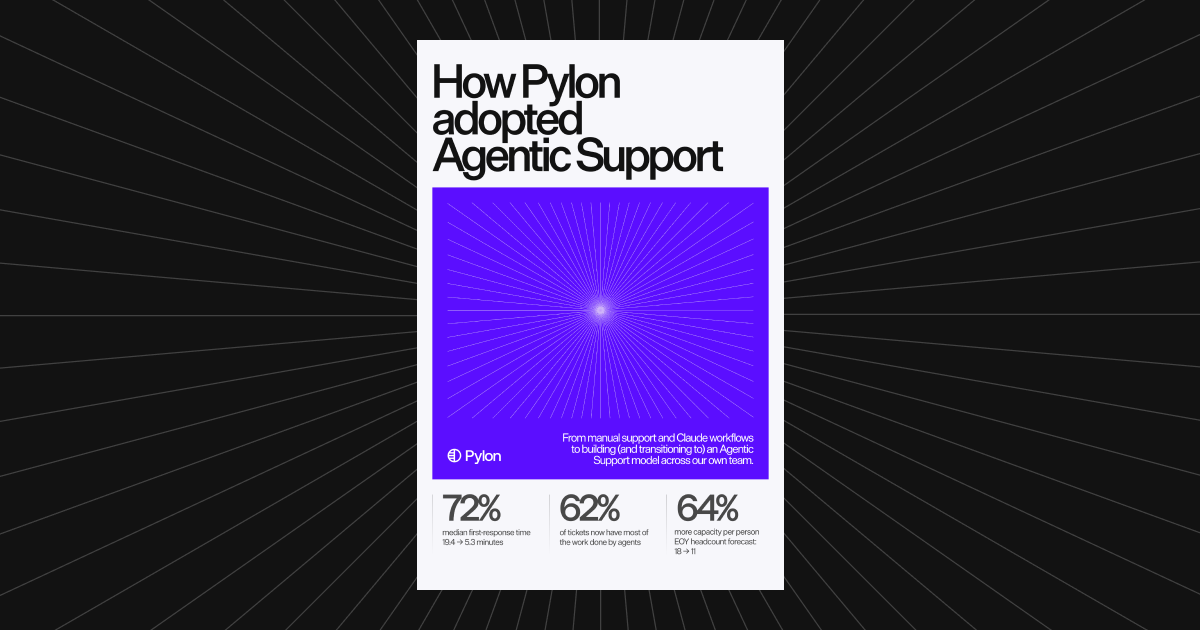
How we use it: Our own support team runs on Pylon. As we share in our ebook, How Pylon adopted Agentic Support, our median first-response time fell 72%, from 19.4 minutes to 5.3 minutes, even as issue volume grew.
Pricing: Seats plus agentic credits, not per issue. Professional is $89 per seat per month and Advanced is $139 per seat per month, on an annual contract. Both seat prices are public, so you don't need a sales call to see them. Enterprise is a custom quote. AI agents aren't sold as separate add-ons; credits unlock them on every plan. You can use pay-as-you-go credits or buy a committed package, and top up in Pylon anytime. There's a minimum seat count for new customers, so talk to sales about what fits your team size. Free trials are set up with sales. See pricing.
Good to know: Pylon is B2B-first. Its agents handle the simple questions and do the first pass on the complex, account-specific ones, in the same queue as your team. Teams that support both B2B and B2C, like Sardine and Wispr Flow, use it for both in one place.
2. Zendesk: best for high-volume, ticket-based help desks
Best for: Support teams handling a high volume of tickets that want a mature ticketing system and a large app marketplace.
Zendesk is one of the best-known help desks. It's built around tickets at high volume, with a large marketplace of apps and integrations.
What it does well:
- Ticket routing, triggers, and automation
- Dashboards and reporting
- A big app marketplace
- AI agents for common questions your help center already answers
- Enterprise security and compliance
Pricing (checked Nov 25, 2026): Support Team starts at $19/agent/month (annual) for email ticketing, Suite Team is $55/agent/month, and Suite Professional is $115/agent/month. On seat-based Suite plans, AI agents are billed per automated resolution beyond an included allowance, and Copilot is a per-seat add-on on Suite Professional and higher (Outcome AI Platform plans are also in early access). See Zendesk pricing.
Good to know: If you're already on Zendesk, weigh what switching would take against what you'd gain. The more rules and apps you add, the more admin it takes, and Slack and Teams usually come in through integrations. If your hardest issues depend on account context, test any AI agent on those issues, not just FAQs. B2B teams that need account-aware workflows often move to Pylon, which handles them with Skills, Automations, Assist Agent, and integrations, set up self-serve or with a forward deployed engineer. If you're comparing directly, see Pylon vs Zendesk.
3. Intercom (Fin): best for in-app and product-led support
Best for: Product-led companies that want support inside the product.
Intercom is built around its in-app messenger. (Note: the company formerly called Intercom renamed itself Fin in May 2026, and Salesforce completed its acquisition of Fin in September 2026; the help desk product is still called Intercom.) Its Fin AI agent answers common questions, and its proactive messages and product tours blur the line between support and onboarding.
What it does well:
- In-app messaging and product tours
- Fin AI agent for common questions
- Targeting and segmentation for proactive messages
- Chat, email, and social channels
Pricing (checked Nov 25, 2026): Essential starts at $29/seat/month annual ($19/seat/month promotional rate for new customers), Advanced is $85/seat/month, and Expert is $132/seat/month. Fin AI Agent is billed per outcome, Copilot is a per-teammate add-on, and Pro (Operator) uses workspace credits. See Intercom pricing.
Good to know: Its center of gravity is chat, and Fin is strongest on questions your help content already answers. B2B teams with lots of account-specific issues should test Fin on their harder issues, not just FAQs. For the AI agent side by side, see Pylon vs Fin.
4. HubSpot Service Hub: best for support next to your HubSpot CRM
Best for: Companies that run sales and marketing on HubSpot and want support history in the same CRM.
Service Hub puts tickets, a conversation inbox, a knowledge base, and feedback surveys next to your HubSpot CRM data. Sales, marketing, and support history sit in one view.
What it does well:
- Native HubSpot CRM connection
- Unified inbox for email, chat, and forms
- Knowledge base and customer portal
- Surveys and lifecycle reporting
- A free tier to start
Pricing (checked Nov 25, 2026): Free tools ($0); Starter starts at $20/seat/month (promotional starter offers may apply), Professional starts at $100/seat/month, and Enterprise starts at $150/seat/month, with AI features consuming HubSpot Credits. See HubSpot Service Hub.
Good to know: Most of the value comes from the shared CRM, so it fits best when sales, marketing, and support all work in HubSpot. For a head-to-head on channels, agents, and pricing, see Pylon vs HubSpot Service Hub.
If you are comparing Service Hub with other support platforms while keeping HubSpot as the CRM, see HubSpot Service Hub alternatives for B2B support teams.
5. Freshdesk: best value for growing teams
Best for: Growing companies that want a full help desk without a big bill.
Freshdesk covers email, phone, chat, social, and web forms in one inbox. Freddy AI helps with categorizing tickets, suggesting replies, and routing.
What it does well:
- Multi-channel inbox
- Freddy AI for automation
- Collision detection and shared ownership
- SLAs and escalations
- A large integrations marketplace
Pricing (checked Nov 25, 2026): Growth is $19/agent/month, Pro is $55/agent/month, and Enterprise is $89/agent/month (annual). Freddy AI Agent includes 500 trial sessions with additional sessions billed in packs, and Freddy AI Copilot is a per-agent add-on on Pro and Enterprise. See Freshdesk pricing.
Good to know: Account-level features are lighter than in platforms built for B2B.
6. Front: best for email-centric relationships
Best for: Agencies, consultancies, and teams where email is the main channel.
Front turns email into a shared inbox with clear ownership. Teammates comment on threads privately, assign work, and reply from team or personal addresses.
What it does well:
- Shared inbox with individual accountability
- Internal comments on customer threads
- Customer context in a sidebar
- Routing and assignment rules
Pricing (checked Nov 25, 2026): Starter is $25/seat/month annual (single channel type), Professional is $65/seat/month, and Enterprise is $105/seat/month. Autopilot is billed per conversation, and Copilot is a per-seat add-on (included on Enterprise). See Front pricing.
Good to know: Email is the center. Other channels are there, but secondary.
7. Help Scout: best for small teams that want an easy-to-learn inbox
Best for: Small teams and early-stage companies.
Help Scout is known for being easy to learn. It pairs a shared inbox with Docs, its knowledge base, and lets you track basic customer properties.
What it does well:
- Short learning curve
- Shared inbox with collision detection
- Built-in knowledge base
- Saved replies and workflows
Pricing (checked Nov 25, 2026): Free plan for up to 5 users; paid plans start at Standard $25/user/month (annual). AI Assist, Drafts, and Summarize are included on paid plans, and the Envoy AI agent is billed per resolution. See Help Scout pricing.
Good to know: It's built for simpler workflows. Teams that need deep account management or shared Slack channels may outgrow it.
8. Gorgias: best for ecommerce and wholesale stores
Best for: Brands and wholesalers that sell through an online store like Shopify.
Gorgias was built for ecommerce. It connects to store platforms like Shopify, so agents can see orders and process refunds without leaving the ticket.
What it does well:
- Order data inside the ticket
- Automations for order status, returns, and shipping
- Email, chat, social, and SMS
Pricing (checked Nov 25, 2026): Starter starts at $10/month (billed by ticket volume, never per agent; Basic is $77/month), and AI Agent is billed per resolved conversation. See Gorgias pricing.
Good to know: It's built around stores and individual buyers, so it's less of a fit for B2B SaaS.
9. Salesforce Service Cloud: best for support on your Salesforce records
Best for: Larger companies that run on Salesforce and want support working from the same customer records as sales.
Service Cloud shares the Salesforce data model, so support sees the same customer records as sales and marketing. It adds Agentforce AI agents, AI for routing and recommendations, and field service for companies with physical products.
What it does well:
- Shared data with the rest of Salesforce
- Omnichannel routing
- Agentforce AI agents and AI for case routing
- Field service management
- Configurable on the Salesforce platform
Pricing (checked Nov 25, 2026): Starter Suite is $25/user/month, Pro Suite is $100/user/month, Core is $195/user/month, Advanced is $395/user/month, and Max is $550/user/month. Agentforce AI uses Flex Credits (included in Core, Advanced, and Max) or outcome options. See Service Cloud pricing.
Good to know: Plan for real implementation time and Salesforce expertise.
10. Kustomer: best for a timeline view of each customer
Best for: Teams that want to see each customer as one timeline of conversations and events, not a list of separate tickets.
Kustomer shows every interaction on a customer timeline: chats, emails, calls, orders, and custom events. It supports proactive outreach based on triggers.
What it does well:
- Customer timeline view
- Email, chat, SMS, voice, and social
- Workflow automation, AI chatbots, and routing
- Proactive outreach
Pricing (checked Nov 25, 2026): Custom quotes via ROI assessment and demo (voice, SMS, and WhatsApp are pay as you go). See Kustomer pricing.
Good to know: Getting the data model right takes some up-front work.
How to choose, step by step
Step 1: Think in accounts. If you have many contacts per customer and SLAs in contracts, you need a full help desk with account-level views and SLAs by tier.
Step 2: Decide what AI should do. FAQ answers are table stakes now. Ask whether the AI can use account context to work the complex issues too: investigate, take approved actions, and hand off cleanly. How to evaluate an agentic support platform has a simple scorecard.
Step 3: List your must-have integrations. CRM, issue tracker, call recorder, data warehouse. This is where the AI's account context comes from, so check each one.
Step 4: Map where your customers talk to you. Make sure every channel lands in one queue. If a lot of it is shared Slack or Teams channels, check that those are core channels, not add-ons.
Step 5: Model the cost. Look at seats, AI pricing, and what happens when volume doubles. Ask whether prices are public, and whether AI is a separate add-on or part of the plan. Add in setup, migration, and training time.
Step 6: Test with real issues. Run a few real B2B scenarios in a trial:
- An issue with several people from the same account
- A thread that starts in Slack or Teams and continues in the inbox
- An escalation to engineering with full context
- An account-level report on support health
Step 7: Check security. SOC 2 Type II at minimum, plus GDPR, data residency, SSO, and audit logs as needed.
For the full checklist, see How to choose a B2B help desk.
Which B2B support platforms integrate with HubSpot and Salesforce?
Short answer: Pylon integrates with both HubSpot and Salesforce on every plan and syncs data both ways: fields flow into Pylon or out to the CRM. Each day it also uses AI to summarize customer conversations and logs each summary to the matching account in the CRM. HubSpot Service Hub runs on HubSpot's own CRM, Salesforce Service Cloud works from Salesforce records, and HubSpot documents its own Salesforce integration. For Zendesk, Intercom, Freshdesk, Front, and Help Scout, sync direction varies by vendor. Our HubSpot and Salesforce sync comparison breaks it down vendor by vendor.
What Pylon syncs with HubSpot and Salesforce
- Field sync: sync fields from the CRM into Pylon or from Pylon out to the CRM. Synced fields work as filters in views, triggers, and macros.
- Activity sync: every day, Pylon summarizes customer conversations with AI and logs the summary to the matching CRM account.
- Contact sync: When contact sync is turned on and someone new joins a prospect or customer channel, Pylon adds them to the CRM and links them to the account.
- Account context on every issue: see account details in the issue sidebar, filter issues by CRM data, and target broadcasts with it.
- Slack channels from Salesforce: click Create Slack Channel on a Salesforce record and Pylon creates the channel, invites the Opportunity Contact Roles, and turns itself on in the channel.
Pylon also syncs with Attio and Pipedrive. Setup details: HubSpot integration, Salesforce integration.
What it costs: CRM integrations are included on every plan. Professional is $89 per seat per month and Advanced is $139 per seat per month, on an annual contract, and Enterprise is a custom quote. Agentic features run on credits. Opportunity Sync is part of the Account Intelligence add-on, $10 per customer account per month (50 account minimum).
Want to see your CRM data next to every issue? Schedule a demo.
Mistakes we see teams make
Picking on brand name alone. Many well-known tools were built for B2C and adapted later. Test the B2B parts.
Losing the account view. If issues from the same customer live in separate silos, you'll miss the pattern.
Ignoring shared channels. If your customers already message you in Slack, forcing them into a portal won't stick.
Treating AI as a checkbox. "Has AI" tells you nothing. Ask what it can do on its own and when a person steps in.
Underestimating setup. Some platforms take months to configure. Ask for realistic timelines.
Where B2B support is heading
Our view: AI agents will do the first pass on most issues, and people will review, decide, and handle the relationship. The best answers will come from agents that can see the account, past conversations, and your other systems. Support data will serve sales, customer success, and product, not only support. One queue across email, chat, Slack, Teams, and phone is the new baseline, and Slack-first support for B2B teams covers the shared-channel side.
If AI agents are your main focus, we compared them in Best AI Agents for B2B Customer Support (2026).
Which customer support platforms work with ChatGPT?
Customer support platforms that work with ChatGPT are the ones with a vendor-documented MCP server or official ChatGPT connector. Pylon's MCP server works with ChatGPT, Claude, and Cursor. Auth is OAuth 2.0 or an API token, and actions stay within the signed-in user's or token identity's permissions. For the platform-by-platform comparison, see Customer support platforms that work with ChatGPT and MCP. For setup, see the Pylon MCP server page.
FAQ
What is the best B2B customer support platform in 2026?
It depends on your customers and how complex their questions are. For B2B teams that want a full help desk with AI agents that use account context to handle simple and complex questions, with every channel in one queue, Pylon is built for that. Zendesk fits high-volume, ticket-based help desks. Salesforce Service Cloud fits companies that want support on their Salesforce records. Intercom fits in-app chat. HubSpot Service Hub fits teams that want support next to their HubSpot CRM. Front fits email-heavy teams.
What's the difference between B2B and B2C support software?
B2B software is built around accounts with many contacts, shared channels like Slack and Teams, SLAs from contracts, and escalations to engineering. B2C software is built for high volumes of simple questions from individual people.
Do I need native Slack or Microsoft Teams support?
If your customers message you in shared Slack or Teams channels, yes. Look for a platform that turns those messages into issues, keeps replies in the customer's thread, and puts them in the same queue as email and chat.
How important is AI in a B2B support platform?
Very, but what it can do matters more than whether it exists. In B2B, the AI needs account context and access to your other systems to solve real issues. It should also know when to bring in a person.
How much does B2B customer support software cost?
Pricing is usually per seat, per issue or resolution, or seats plus usage credits. Pylon charges for seats plus agentic credits, not per issue. Professional is $89 per seat per month and Advanced is $139 per seat per month, on an annual contract. Enterprise is a custom quote. Seat prices are public on the pricing page, and AI agents run on credits instead of separate add-ons: pay as you go or committed upfront, with top-ups in Pylon anytime.
Is Pylon an add-on for Zendesk or Intercom?
No. Pylon is the help desk itself: ticketing, SLAs, knowledge base, every channel, and AI agents in one B2B support platform. Teams move to Pylon to replace their help desk, not to add AI on top of it.
How long does it take to switch platforms?
Simple setups can go live in days or weeks. Large setups with a lot of history to migrate take longer. Running the new tool next to the old one for a short time makes the switch smoother.
What security certifications should a B2B support platform have?
SOC 2 Type II is the baseline. Many teams also need GDPR support, ISO 27001, data residency options, SSO, role-based access, and audit logs. HIPAA matters if you handle health data.
Which support platforms have an MCP server?
Pylon has a read and write MCP server on every plan. Intercom, Front, HubSpot, and Plain also document MCP servers. Freshdesk's MCP server has been generally available since September 2026, with MCP actions included on each plan and extra actions billed by usage (API key auth). Zendesk's MCP client is GA; Zendesk Bridge (EAP, Nov 10, 2026) lets outside AI agents use Zendesk tools over MCP. Check each vendor's developer docs for current tools and access status.
Which support platforms integrate with HubSpot and Salesforce?
Pylon integrates with both on every plan, with field sync in either direction, daily AI summaries of customer conversations logged to the CRM account, and optional contact sync from customer channels. HubSpot Service Hub runs on HubSpot's own CRM and Salesforce Service Cloud works from Salesforce records. Other help desks connect to one or both, with sync direction that varies by vendor.
Editor's note: We first published this guide in 2025. This version is updated for 2026. The biggest change since then is AI. Last year, "AI" in a support tool mostly meant suggested replies and chatbots. Now the better platforms run AI agents that use account context to investigate issues before your team opens them. For this November 25, 2026 refresh, we verified each platform's entry seat price and AI billing model directly on its official pricing page (omitting G2 scores and volatile per-action AI rates, which you should confirm with each vendor before signing).
For the latest Pylon details, see the Pylon facts page.