An AI agent in customer service reads a customer request, pulls account and product context, uses connected tools to investigate or act, and hands off to a person when human judgment is needed. Unlike a scripted chatbot or a draft-only copilot, an agent works across multiple steps and tools to resolve routine questions or prepare full context for complex B2B issues. Pylon is the agentic support platform built for B2B teams and trusted by 1,800+ B2B customers globally.
In B2B support, a single question often spans Slack, email, your CRM, an issue tracker, and your codebase. That is why teams use agents to handle repeatable work and gather evidence before a teammate opens the issue, while people stay in charge of approvals, edge cases, and customer relationships.
AI agent vs. chatbot vs. copilot
Teams often compare chatbots, copilots, and AI agents when buying support software. Here is how the three differ in practice.
| Category | What it does | What it can act on | When to use it |
|---|---|---|---|
| Chatbot | Follows pre-scripted flows or pulls single answers from help articles | Usually limited to chat replies and basic routing rules | Simple, high-volume FAQ deflection where no account investigation is needed |
| Copilot | Assists a teammate inside an issue with thread summaries and suggested reply drafts | Nothing on its own; a person reviews, edits, and takes every action | Assisting teammates one ticket at a time without automated background work |
| AI agent | Reads context across systems, runs multi-step checks, and executes approved workflows | Knowledge base answers, issue fields, internal notes, and connected tools via APIs or MCP within configured permissions | Resolving documented questions across channels and investigating complex, account-specific B2B issues before handoff |
Some products labeled "chatbot" now call external tools, and some products labeled "agent" only retrieve help articles. Judge any product by what context it can load, which actions it can run, and how it enforces approvals.
What AI agents do in B2B customer service
B2B support issues rarely live in one isolated ticket. When a customer asks why an export failed or why SSO stopped working, an agent can handle several parts of the workflow:
- Answer documented questions across channels. Customer-facing agents resolve routine how-to questions in Slack, email, chat widget, Microsoft Teams, and other channels using approved knowledge.
- Investigate issues before a teammate opens them. With Automations set to start on new issues in Pylon, agents gather past conversations, account context, logs, and related engineering tickets automatically.
- Classify, tag, and route requests. Agents read message content, urgency, and account context to set fields, apply tags, and route work to the right team.
- Work across connected tools with approvals. Through Connectors (MCP servers and Custom API tools), agents check issue trackers like Linear or Jira, read CRM records, or look up product behavior in your codebase. Assist Agent keeps a person in the loop, and Automations run only the approved workflows you enable.
- Keep knowledge accurate. Agents surface gaps where documentation is missing or outdated so your team can draft and update articles from real conversations.
How Pylon's AI agents work together
In Pylon, agents and teammates work in the same issue, with the same context and permission boundaries. Pylon runs its agents on Nexus, a versioned agent harness that combines context, memory, traces, routing, guardrails, and post-run evaluation across Support, Account, and Product Intelligence.
- Support Agent resolves customer questions across channels using approved public knowledge and Skills, and escalates to a teammate with full investigation context when judgment is needed.
- Assist Agent is a personal AI operator inside Pylon that investigates issues, searches connected systems, drafts replies, and proposes actions under your own user session and permissions. It always keeps a person in the loop for review.
- Automations run repeatable workflows triggered by events (such as a new issue or approaching SLA) or schedules, using an Agent connection and Skills to prepare findings and take configured actions.
- Slack Agent answers product and customer questions and takes permitted actions directly from internal Slack channels and DMs, using the requester's Pylon access level. It does not run in customer-facing Slack Connect channels.
- Skills are reusable natural-language instructions that teach both agents and teammates how your team investigates, escalates, and resolves recurring scenarios. Skills are included on every Pylon plan.
If your engineers or support leads also work in ChatGPT, Claude, or Cursor, the Pylon MCP server exposes Pylon issues, accounts, contacts, knowledge base articles, macros, tags, and triggers over OAuth 2.0 or an API token. Every call runs with that user's or token identity's Pylon permissions and requires the MCP Access permission, which standard Member and Admin roles include.
How to roll out AI agents without losing control
Expanding agent autonomy works best when governance and measurement come first. Start with a narrow scope and expand only after the numbers hold up.
- Baseline your metrics first. Record first-response time, time to resolution, CSAT, issue volume, and support cost before rollout, then measure the same metrics over a comparable window afterward. See how to measure ROI and govern AI agents in B2B support for the full framework.
- Start with investigation and human review. Use Assist Agent or Automations to summarize threads, gather evidence, and draft replies while teammates approve every customer-facing message and record update.
- Configure tool permissions and guardrails. Manage allowed tools per agent in Settings > AI controls > Agents, user and agent connector access in Settings > AI controls > Connectors, and grounding sources in each Support Agent's Resources step.
- Test before expanding. Use backtesting against historical issues and QA review to verify escalation boundaries before letting Support Agent reply directly on a question category.
- Audit what agents did. Review traces for step-by-step investigation paths, Issue logs for Support Agent outcomes, and workspace audit logs for AI and MCP configuration changes.
Real results from B2B teams
Across verified deployments, teams combine fast automated answers for routine questions with pre-investigated handoffs for complex work:
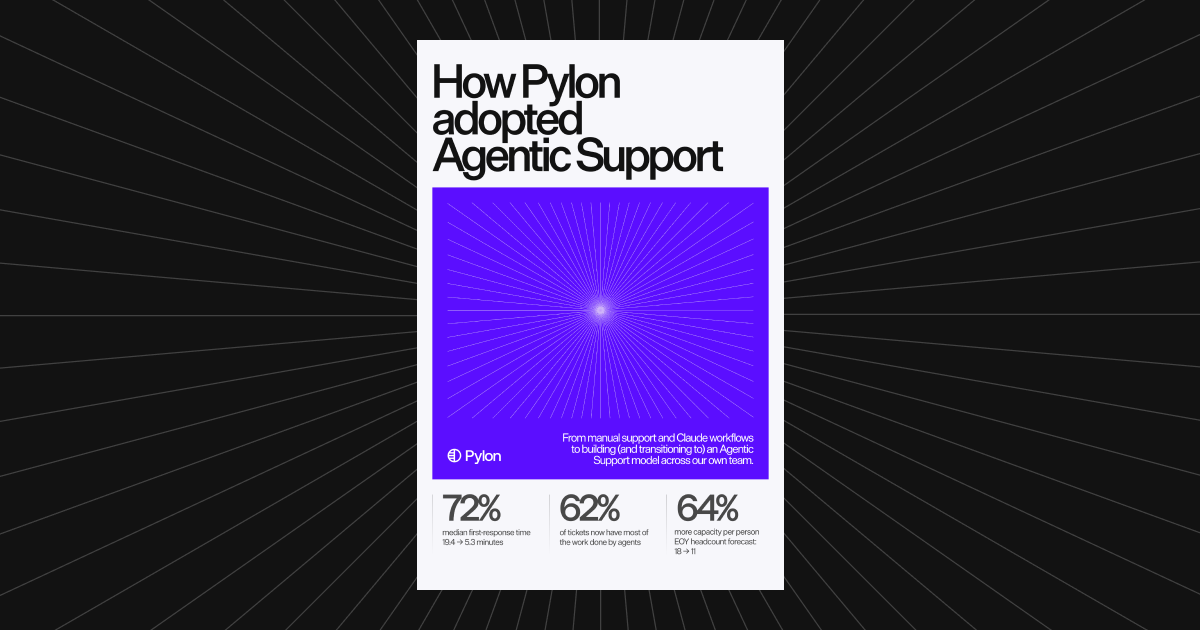
- Pylon's own support team compared the four weeks before rolling out Agentic Support (May 4 to 31, 2026) with the four weeks after (June 8 to July 5, 2026). Median first-response time fell 72%, from 19.4 minutes to 5.3 minutes, and 62% of tickets involved substantive agent work (accepted drafts or investigation back-and-forths), even as ticket volume grew 3% (How Pylon adopted Agentic Support).
- AssemblyAI deployed a Pylon AI agent on in-app chat and saw a 97% reduction in first-response time (from 15 minutes to 23 seconds) on handled chat issues, resolving about 50% of eligible incoming chats without human intervention (AssemblyAI case study).
- Retell AI automated or deflected 80% of L1 tickets and partially completed 50% of L2 tickets before human handoff, saving 12 to 15 engineer hours per week (Retell AI case study).
Pricing for AI agents in Pylon
Pylon pricing is seats plus agentic credits, never per ticket or per issue.
- Professional: $89 per seat/month on an annual contract.
- Advanced: $139 per seat/month on an annual contract (adds RBAC, customer portal, custom reporting, data warehouse, Microsoft Teams, and Google Chat; SAML SSO available as a $125/month add-on).
- Enterprise: Custom quote (adds MSA, SAML SSO included, SCIM, sandbox, and data retention controls).
Skills, MCP Connectors, Custom API tools, and the Pylon MCP server are included on every plan. Assist Agent, Support Agent, Slack Agent, Automations, AI issue QA, and backtesting require agentic credits, which you can commit to annually or buy as you go and top up in Pylon anytime. Account Intelligence (account notebooks, health scores, CSM Home View, and account memories) is an optional add-on at $10 per customer account/month (50-account minimum).
Ready to see how agents and your team can work the same queue? Schedule a demo.
FAQ
What is the difference between an AI agent, a chatbot, and a copilot in customer service?
A chatbot follows pre-scripted flows or pulls single answers from help articles. A copilot assists a teammate inside a ticket with summaries and suggested drafts, while the person takes every action. An AI agent loads account and product context, investigates across connected tools, and executes approved workflows or hands off to a person with full evidence.
What can an AI customer service agent actually do in B2B support?
In B2B support, an AI agent can answer documented questions across channels like Slack, Microsoft Teams, email, and chat widget, investigate new issues using past tickets and logs, classify and route requests, update records or create engineering tickets through APIs or MCP, and escalate complex cases with a complete summary.
Can AI agents connect to external tools like Jira, Linear, or Cursor?
Yes. In Pylon, outbound Connectors let Assist Agent, Slack Agent, and Automations call external MCP servers and Custom API tools, alongside native integrations like Jira, Linear, and Cursor. In the other direction, the Pylon MCP server lets external AI tools like ChatGPT, Claude, and Cursor read and update Pylon issues and accounts within each user's permissions.
How do you measure ROI and govern AI agents before giving them more autonomy?
Start by baselining first-response time, resolution time, CSAT, volume, and support cost, then compare the same window after deployment. Set tool permissions per agent in Settings > AI controls > Agents and restrict grounding sources in each Support Agent's Resources step. Review traces, Issue logs, and workspace audit logs before widening what an agent can do without approval. For a step-by-step guide, see how to measure ROI and govern AI agents in B2B support.
How much do AI agents for customer service cost on Pylon?
Pylon is priced by seats plus agentic credits, with no per-ticket charges. Professional is $89 per seat/month and Advanced is $139 per seat/month on annual contracts, and Enterprise is a custom quote. Skills and the Pylon MCP server are included on every plan, while Assist Agent, Support Agent, Slack Agent, and Automations use credits that you can commit to annually or buy as you go.