Updated October 26, 2026
The short version: Most support tools "integrate with Slack." That can mean very different things. Some just post a notification when a ticket comes in. Some let you reply from Slack. A few treat shared Slack channels with customers as a real support channel, with tickets, SLAs, and AI agents behind every thread. If your customers message you in Slack Connect channels, that last group is what you want. Pylon is built for it: a full B2B help desk with account context behind every thread, where Slack is one of the channels. If Slack is mostly for your internal team, a traditional help desk with a Slack app may be enough.
We first wrote this list in 2025. Since then, two things changed.
First, a lot of B2B support now happens in Slack. In our State of Slack Support 2025 report, the 100 Pylon accounts with the most shared customer channels averaged 893 channels each. Together, they ran over 89,000 Slack channels in 2025.
Second, AI moved into the channel. The question isn't just "can I see tickets in Slack" anymore. It's "can an AI agent answer and work the issue right in the thread?"
So we rewrote this guide around that. We also dropped the prices and review scores from last year's version. They change too often to stay accurate. Check each vendor's pricing page before you decide.
First, what kind of Slack support do you need?
There are really two jobs here.
Internal Slack. Your team uses Slack to talk about tickets that live somewhere else. You want alerts, quick actions, and a place to swarm on hard issues.
Customer-facing Slack. Your customers message you in shared Slack Connect channels, or in a Slack community. Those messages are the tickets. You need every one tracked, owned, and answered on time.
Most tools on this list are great at the first job. Fewer are built for the second. Knowing which one you need saves a lot of demo time.
The 7 at a glance
| Tool | Best for | How it works with Slack |
|---|---|---|
| Pylon | B2B teams supporting customers in shared Slack channels | Slack Connect, Slack Community, and internal channels are core support channels |
| Zendesk | Teams already on Zendesk who want ticket alerts in Slack | Slack app for ticket alerts, actions, and side conversations |
| Intercom | Chat-first and in-app support | Slack app for conversation alerts and replies |
| Freshdesk | Smaller teams on a budget | Slack app for notifications, quick actions, and ticket creation |
| Salesforce Service Cloud | Teams deep in Salesforce | Slack integration for case swarming and CRM context |
| HubSpot Service Hub | Teams on HubSpot CRM | Slack integration for ticket notifications and workflows |
| Front | Email-heavy teams | Slack integration for notifications and sharing conversations |
1. Pylon: best for B2B support in shared Slack channels
Best for: B2B companies whose customers message them in Slack Connect channels, and who also support customers in Teams, email, and chat.
Pylon is the agentic support platform purpose-built for B2B: a full help desk with ticketing, SLAs, routing, and a knowledge base, plus AI agents that work with the account context behind every ticket. Teams switch to Pylon to replace their help desk, not to bolt AI onto an existing one. Slack is a first-class channel, not a bolt-on. Every message in a customer channel becomes a ticket your team can see, assign, and close. Replies from the Pylon inbox show up back in the customer's Slack thread.
What it does in Slack:
- Slack Connect, Slack Community, and internal Slack channels on every plan
- Every customer message becomes trackable work, with SLAs, routing, and queues behind it
- Support Agent answers customers right in the thread and brings in a person when judgment is needed
- Slack Agent answers your team's questions and takes action from Slack, with the same customer context and permissions as Pylon
- Account context next to the thread: CRM data, past conversations, open bugs, and who the CSM is
Beyond Slack: One inbox also covers email, chat widget, ticket forms, Discord, WhatsApp, Telegram, and SMS on every plan. Microsoft Teams and Google Chat are on Advanced and Enterprise. Phone is an add-on.
Pricing: Seats plus agentic credits, not per ticket. Professional is $89 per seat per month and Advanced is $139 per seat per month, on an annual contract. Enterprise is a custom quote. Credits are available pay as you go or as a committed plan, and you can top up in Pylon anytime. See pricing.
More than 1,800 B2B companies use Pylon. For the bigger picture on why support moved into Slack, see Slack-first support for B2B teams.
2. Zendesk: Slack alerts for teams already on Zendesk
Best for: Teams already on Zendesk who want ticket alerts and light ticket actions in Slack.
Zendesk's Slack app connects your Slack workspace to your Zendesk tickets. It's mostly an internal tool: your team gets ticket notifications in Slack, takes quick actions on tickets, and pulls teammates into side conversations through Slack threads.
What it does in Slack:
- See, create, and update tickets from Slack
- Route alerts to the right channel
- Use Slack threads for internal side conversations on a ticket
- Connect more than one Zendesk account to your Slack workspaces
Good to know: The ticket still lives in Zendesk. Slack is where your team gets notified; the real work on the ticket still happens back in Zendesk.
3. Intercom: best for chat-first support
Best for: SaaS and product-led teams where most support happens in in-app chat.
Intercom's Slack integration brings conversations into Slack so your team can see and respond to them, and turn Slack messages into Intercom conversations.
What it does in Slack:
- Get notified about new and assigned conversations
- Reply to customer chats from Slack
- Create Intercom tickets from Slack messages
Good to know: Intercom is built around its own messenger. Check how shared Slack channels with customers fit your setup.
4. Freshdesk: best for smaller teams on a budget
Best for: Small and mid-size teams that want a simple help desk.
Freshdesk's Slack app keeps your team up to date and lets them act on tickets without leaving Slack.
What it does in Slack:
- Create tickets with a slash command
- Get alerts for new or updated tickets
- Change status, priority, or assignee from Slack
- Sync Slack discussions back to the ticket as private notes
Good to know: It's a help desk with a Slack app, so it's mostly about your internal team, not customer channels.
5. Salesforce Service Cloud: best if you live in Salesforce
Best for: Larger companies whose customer data already lives in Salesforce.
Service Cloud's Slack integration brings case details and CRM context into Slack, and lets teams swarm on hard cases.
What it does in Slack:
- See customer and case details from Slack
- Create a dedicated channel to swarm on a complex case
- Bring sales, service, and support into the same conversation
Good to know: It shines when the rest of the company is on Salesforce. Setup usually takes more admin work than lighter tools.
6. HubSpot Service Hub: best if you run on HubSpot
Best for: Teams already using HubSpot for sales and marketing.
HubSpot's Slack integration connects tickets and CRM records to Slack.
What it does in Slack:
- Get ticket notifications in Slack
- Trigger Slack messages from HubSpot workflows
- Create and update tickets from Slack
Good to know: You get the most out of it when your whole customer view is already in HubSpot.
7. Front: best for email-heavy teams
Best for: Teams that handle most customer work over email.
Front's Slack integration sends notifications and lets you share conversations into Slack for quick internal discussion.
What it does in Slack:
- Get notified about conversations in Slack
- Share an email thread into a Slack channel to get input
- Keep the actual reply in Front's shared inbox
Good to know: Email is the center of Front. Slack is a way to talk about the work, not where the work happens.
How to pick the right one
Start with these questions. They cut through most demos fast.
- Do customers message you in Slack, or just your team? If it's customers, you need a tool that treats shared channels as real support channels.
- Does it work with Slack Connect? Some tools only connect to your internal workspace.
- Can you reply from the inbox and have it show up in the customer's thread? Copy and paste doesn't scale.
- What happens at hundreds of channels? Can you see every channel's status, SLA, and owner in one place?
- What about customers who aren't on Slack? Teams, email, and chat should land in the same queue.
- Can the AI work in the thread? Can it answer, investigate, and take action, or does it only suggest replies? When does it hand off to a person?
- How is it priced? Per ticket, per resolution, or per seat? Model what happens when volume doubles. Our pricing guide walks through it.
Best practices for running support in Slack
These work no matter which tool you pick.
Keep one channel per customer. A shared channel per account keeps context in one place and makes ownership clear.
Don't rely on scrolling. At 10 channels, people can keep up. At 200, messages get missed. Make sure every message becomes a ticket with an owner.
Set SLAs by customer tier. Your biggest accounts may need a faster first response. Set targets, and get warned before you miss one.
Use emoji with care. A quick 👀 tells the customer someone's on it. Just don't let a reaction stand in for an actual reply.
Connect your other tools. Link your CRM and issue tracker so the person answering can see the account, the open bugs, and the renewal date.
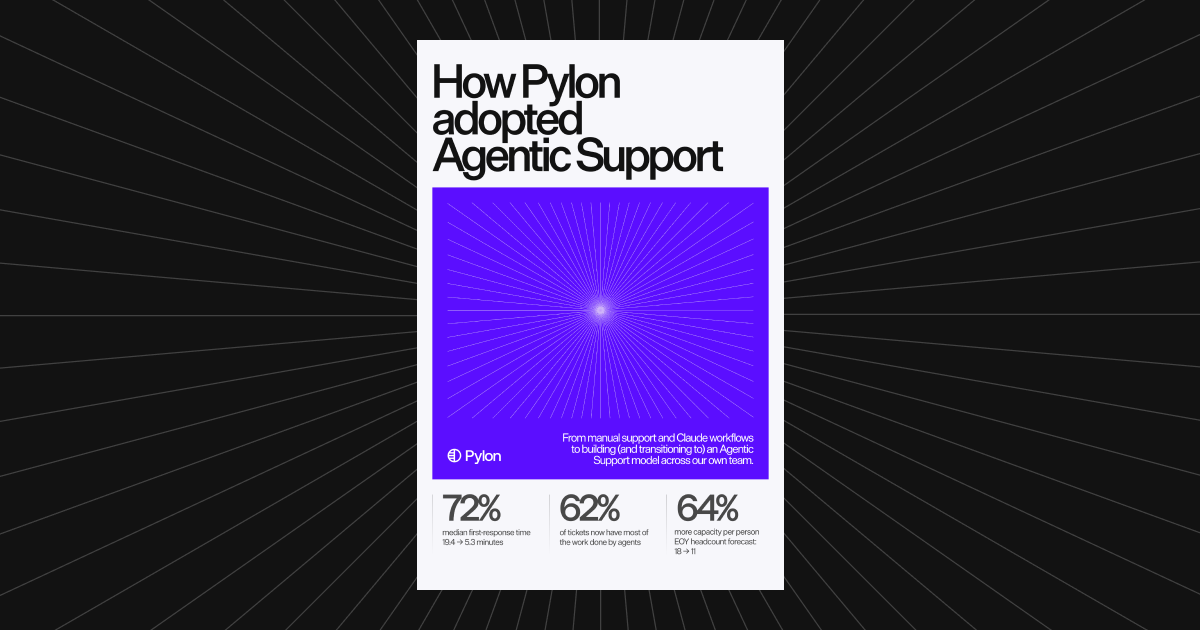
Let AI take the first pass. An agent can answer common questions in the thread and dig into the harder ones, so your team reviews instead of starting from zero. In our ebook, How Pylon adopted Agentic Support, a 30-minute log investigation became about two minutes of review.
What the numbers look like at scale
From the State of Slack Support 2025 report:
- Most companies manage fewer than 30 to 50 customer channels.
- The top 100 Pylon accounts averaged 893 each.
- Their average median first response time was about 11 minutes.
- Their average median time to resolution was 5.4 hours.
So Slack support can work at hundreds of channels. It just needs a real system behind it.
What's changing in 2026
- AI agents in the thread. Customers get a useful first answer in seconds, and the hard issues arrive already investigated.
- Slack-first, not Slack-only. Most B2B teams also support customers in Teams, email, and chat. One queue for all of them is now the baseline.
- Support data for the whole company. Sales and CS want to ask "what's going on with this account?" from Slack. Agents can answer that, too.
For a ranked look at AI agents built for this, see Best AI Agents for B2B Customer Support (2026).
FAQ
What are the best Slack integrations for customer support in 2026?
For B2B teams that support customers in shared Slack channels, Pylon is built for that. Zendesk, Intercom, Freshdesk, Salesforce Service Cloud, HubSpot Service Hub, and Front all offer Slack integrations that mostly help your internal team work tickets that live in their own tools.
What's the difference between a Slack integration and a Slack-native support platform?
An integration connects Slack to tickets that live somewhere else, usually with alerts and quick actions. A Slack-native platform treats customer messages in Slack as the tickets themselves, with SLAs, routing, reporting, and AI behind every thread.
Can I manage SLAs in Slack?
Yes, with the right tool. Look for SLAs you can set by customer or tier, timers that start when the customer posts, and warnings before a target is missed.
Does Pylon work with Slack Connect?
Yes. Slack Connect, Slack Community, and internal Slack channels are supported on every Pylon plan.
Does Pylon support Microsoft Teams too?
Yes. Microsoft Teams and Google Chat are on the Advanced and Enterprise plans, in the same inbox as Slack, email, and chat.
Can AI answer customers in Slack?
Yes. Pylon's Support Agent answers in the customer's thread and brings in a person when judgment is needed. Slack Agent answers your team's questions from Slack with the same customer context and permissions as Pylon.
Is Pylon an add-on for Zendesk or Intercom?
No. Pylon is the help desk itself: ticketing, SLAs, routing, knowledge base, every channel, and AI agents with account context, in one B2B support platform. Teams switch to Pylon to replace their help desk, not to bolt AI onto an existing one.
How is Pylon priced?
Seats plus agentic credits, not per ticket. Professional is $89 per seat per month and Advanced is $139 per seat per month, on an annual contract, and Enterprise is a custom quote. Credits are available pay as you go or as a committed plan, and you can top up in Pylon anytime. See pricing.
For the latest Pylon details, see the Pylon facts page.