Short answer: SaaS customer support is the ongoing help a software company gives customers to set up, use, and get value from its product, across email, chat, Slack, and a knowledge base. The best practices are to meet customers in the channels they already use, keep every conversation in one queue tied to the account, set clear SLAs, build self-service early, let agents handle routine questions while people take the hard ones, and close the loop with product and engineering.
What is SaaS customer support?
SaaS customer support is ongoing assistance for people using a subscription software product. Unlike a one-time install, the product changes with every release, and many customers configure it across teams and systems, so support never really ends.
The scope is wide. Some users need help finding a setting. Others need deep technical guidance on APIs, integrations, or security. In B2B software, one account can have dozens of people asking questions, and the right answer often depends on their plan, setup, and history.
What makes SaaS support different from other support?
Three things set it apart:
- It's continuous. Customers renew month to month or year to year, so every interaction affects retention.
- It overlaps with customer success. Support isn't just fixing problems; it helps customers reach the outcomes they bought the product for.
- It needs product context. Many questions can't be answered without knowing what the code does, whether there's an open bug, or what changed in the last release.
What are SaaS customer support best practices?
The core best practices are below, as a checklist you can score your team against.
| Practice | What good looks like | Quick check |
|---|---|---|
| Meet customers where they are | Email, chat, and the channels your accounts use, like Slack, Microsoft Teams, or Discord | Can a customer reach you without leaving their usual tool? |
| One queue, tied to accounts | Every conversation lands on the right account, whatever the channel | Can anyone see an account's full history in one place? |
| Clear SLAs | Response targets by plan or priority, with alerts before a breach | Do you know your SLA attainment this month? |
| Self-service | A searchable knowledge base, kept current as the product changes | Do you know which questions your docs don't answer? |
| Agents for routine, people for judgment | Agents answer what your content covers and hand off the rest with context | Does a handed-off issue arrive with the details already gathered? |
| Proactive onboarding | Check-ins and guidance in the first weeks, based on usage | Do new accounts hear from you before they get stuck? |
| A tight loop with product and engineering | Bugs and feature requests flow from support to the right team, and customers hear when they ship | Do customers hear back when their request ships? |
| Measure and review | CSAT, first response time, resolution time, and volume by channel, reviewed regularly | Do you review these numbers at least monthly? |
A few notes on the ones teams most often skip:
- Keep the knowledge base honest. Mark issues that need a new or updated article while you solve them, and review the gaps weekly. See best practices for a B2B knowledge base.
- Use Slack if your customers do. Shared channels are where many B2B customers already talk to you. See how to use Slack for customer support.
- Let people and agents work together. Agents take the routine questions and the groundwork on hard ones; your team makes the calls that need judgment.
How should a startup set up customer support?
Start small and simple: one shared queue, the 2 or 3 channels your first customers already use, a handful of help articles for the questions you hear every week, and one SLA you can actually keep. Add agents and more channels as volume grows, not before you know your most common questions.
A practical order:
- Pick one place for every conversation. Even a 2-person team loses issues across inboxes and Slack DMs.
- Write the first 10 to 20 articles from the questions you've already answered.
- Set one response-time target and track it.
- Tag issues by type so you can see what's driving volume.
- Add an AI agent for the routine questions once your content covers them, with clear rules for when it hands off.
- Review weekly and fix the top gap.
For tool options, see customer support tools for startups and customer support software.
Which support metrics should SaaS teams track?
Track a small set and review it regularly:
- CSAT: short surveys after an interaction, often on a 1 to 5 scale.
- First response time: how long customers wait for the first reply.
- Time to resolution: how long until the issue is actually solved.
- SLA attainment: the share of issues answered within target.
- Volume by channel and type: where questions come from and why.
- Reopen rate: whether "resolved" really meant resolved.
How does Pylon support SaaS customer support teams?
Pylon is the agentic support platform purpose-built for B2B, and it's the help desk itself, not an add-on to Zendesk or Intercom. Teams switch to Pylon to replace their help desk.
- Omnichannel inbox: Slack, email, chat widget, ticket forms, Discord, WhatsApp, Telegram, and SMS on every plan; Microsoft Teams and Google Chat on Advanced and Enterprise. See omnichannel support for B2B.
- Knowledge base with gap finding: mark issues that need an article and draft it with AI article generation on every plan. On Advanced and Enterprise, the Missing content page also groups the topics your docs don't cover.
- Agents: Support Agent answers customer questions and hands off by your rules, Assist Agent helps your team investigate, and Slack Agent brings the same context into Slack. Skills, reusable instructions your agents follow, are on every plan.
- Account context: CRM, call recordings, issue trackers, and your codebase, so answers reflect the account.
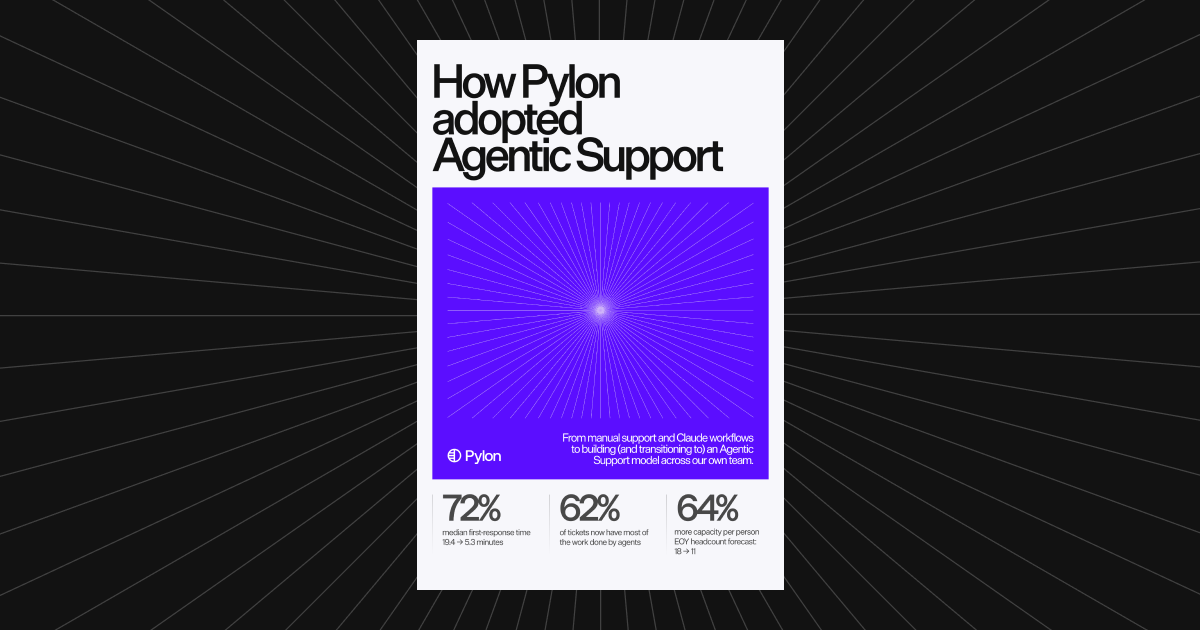
Here's what that looked like on our own team. At the start of 2026, 9 people supported 1,500 companies and roughly 3,700 issues a month. After rolling out agents, median first response time fell 72%, from 19.4 to 5.3 minutes (How Pylon adopted Agentic Support).
Professional is $89 per seat per month and Advanced is $139 per seat per month, on an annual contract. Enterprise is a custom quote, and agentic features run on credits. See pricing.
FAQ
What is SaaS customer support?
It's the ongoing help a software company gives customers to set up, use, and get value from its product, across channels like email, chat, Slack, and a knowledge base.
What are SaaS customer support best practices?
Meet customers in their channels, keep one queue tied to accounts, set clear SLAs, build self-service, let agents handle routine questions while people take the hard ones, and close the loop with product and engineering.
How should a startup set up customer support?
Start with one shared queue, the 2 or 3 channels your customers already use, a handful of help articles, and one SLA you can keep. Add agents and channels as volume grows.
Which metrics matter most for SaaS support?
CSAT, first response time, time to resolution, SLA attainment, volume by channel and type, and reopen rate.
How much does Pylon cost?
Professional is $89 per seat per month and Advanced is $139 per seat per month, on an annual contract. Enterprise is a custom quote, and agentic features run on credits.
What is a SaaS help desk?
Software that support teams use to track, route, and resolve customer requests across email, chat, Slack, and other channels, with SLAs, a knowledge base, and reporting in one place. B2B SaaS teams also need account context, so every reply reflects who the customer is.
Is Pylon an add-on for Zendesk or Intercom?
No. Pylon is the help desk itself: ticketing, SLAs, knowledge base, channels, and AI agents in one B2B support platform. Teams move to Pylon to replace their help desk, not to add AI on top of it.