A knowledge base is a good way to give B2B customers instant answers. In fact, 61% of customers would prefer to use self-service for simple issues instead of contacting a live agent. And this resource takes pressure off your support team, so they can focus on creating quality experiences.
To help you take advantage of those benefits, we’ll go through five leading B2B knowledge base examples, then show you how to set up your own with Pylon.
What’s a knowledge base, and what makes one work?
A knowledge base is a searchable hub for docs, articles, tutorials, and FAQs. Customers can use this resource to answer their questions immediately, and internal teams can check the latest information so they can give accurate replies.
Here’s what a great knowledge base looks like:
- Clear structure and powerful search. Customers can find what they want fast, and AI bots are able to quickly read and summarize the content.
- Reader-friendly style. Short knowledge base articles directly answer a single question each in straightforward language.
- Helpful visuals. Screenshots and video tutorials clearly demonstrate workflows and illustrate key points.
- Current content. The knowledge base stays updated as products and customer needs evolve.
- Mobile-friendly design. Your knowledge base works well on every device and operating system customers use.
- Built-in feedback loops. Customers can rate articles so you know which resources to improve.
- Connections to live support. It’s easy for customers to contact your support team when self-service isn’t enough.
Why should you set up a knowledge base for your company?
Here’s how B2B companies benefit from a good knowledge base:
- Reduce support ticket volume. When customers find answers themselves, they don’t need to contact your team with repeat questions.
- Speed up response times. Your team can use the knowledge base as a central source of truth, instead of wasting time hunting for context.
- Power AI agents and assistants. A knowledge base makes AI tools more powerful, because it gives them the data they need to solve problems and suggest responses.
- Improve customer onboarding. A knowledge base shows new customers how to solve problems and use your products, which can speed up onboarding and boost product adoption.
- Improve SEO. Public knowledge base articles also show up in search engines like Google, helping you rank for relevant keywords.
- Scale support without adding headcount. Self-service options like FAQs and knowledge bases allow you to answer more customer questions without a big team.
5 examples of great B2B knowledge bases
Now, let’s look at five examples of B2B knowledge bases that work smoothly and give customers easy access to key information.
1. Pylon
Pylon’s knowledge base stands out thanks to its simple, intuitive layout. You can type your question into the search bar at the top, explore the categories underneath, or start with the popular articles listed at the bottom.
The search function quickly shows relevant articles for your topic, and you can filter the results to show content from different sources (like technical docs or changelogs). Articles are simple to read and clearly structured, with helpful visuals that show exactly what users need to do.
2. Slack
Slack’s knowledge base is easy to use thanks to smart search suggestions. As you type in a question, suggested articles instantly appear in a drop-down menu, which helps you get to the information you need more quickly.
On the search results page, Slack also offers an AI agent that generates answers for customers, using content from articles on related topics. This feature can also connect users with Slack’s support team for requests that go beyond self-service.
3. Asana
Asana’s knowledge base offers a huge variety of content types and options on its front page. You can search for help, go to a special “New to Asana?” section for beginners, browse content categories, and watch video tutorials. Plus, you can talk with other users on the connected forum, or access courses and training through Asana Academy.
Despite its wealth of options, this knowledge base is still clearly structured and easy to navigate. It’s a good example of how to give customers lots of ways to find the answers they need, but still keep each path streamlined.
4. HubSpot
HubSpot’s knowledge base shows how to give detailed info without overwhelming users. Its articles are longer than the norm, so they include tables of contents in the sidebar to help readers navigate to the sections they want. The articles are also well formatted, with plenty of visuals and callout boxes in different colors.
At the bottom of every article, there’s a simple form to collect customer feedback that asks: “Was this article helpful?” The form then displays different follow-up questions based on whether you answer “Yes” or “No.” This is a great way for HubSpot to learn which resources are actually helpful and which need an overhaul.
5. AWS
AWS’s knowledge base is a strong example of a resource focused on technical docs and troubleshooting for developers. The layout isn’t as beginner-friendly as some of our other examples, since this audience is more advanced. But it’s still simple to sort through the wealth of articles featuring detailed instructions, screenshots, and code samples.
Users can comment publicly on articles to add their own questions or solutions, making this knowledge base feel interactive and current. AWS’s knowledge base is also part of a larger community hub that includes forums and topical articles.
How to set up your knowledge base: Best practices
If you’re ready to set up your own customer knowledge base, follow these best practices to get results fast:
- Integrate your knowledge base with your support stack. It should be easy to update articles and create new ones by taking details directly from customer tickets. So look for knowledge base software that offers strong integrations and supports AI agents and assistants.
- Start with your most common support tickets. Look for issues customers ask about repeatedly, and create content to answer those questions. This is a quick way to get value from your knowledge base, by deflecting tickets and addressing common pain points.
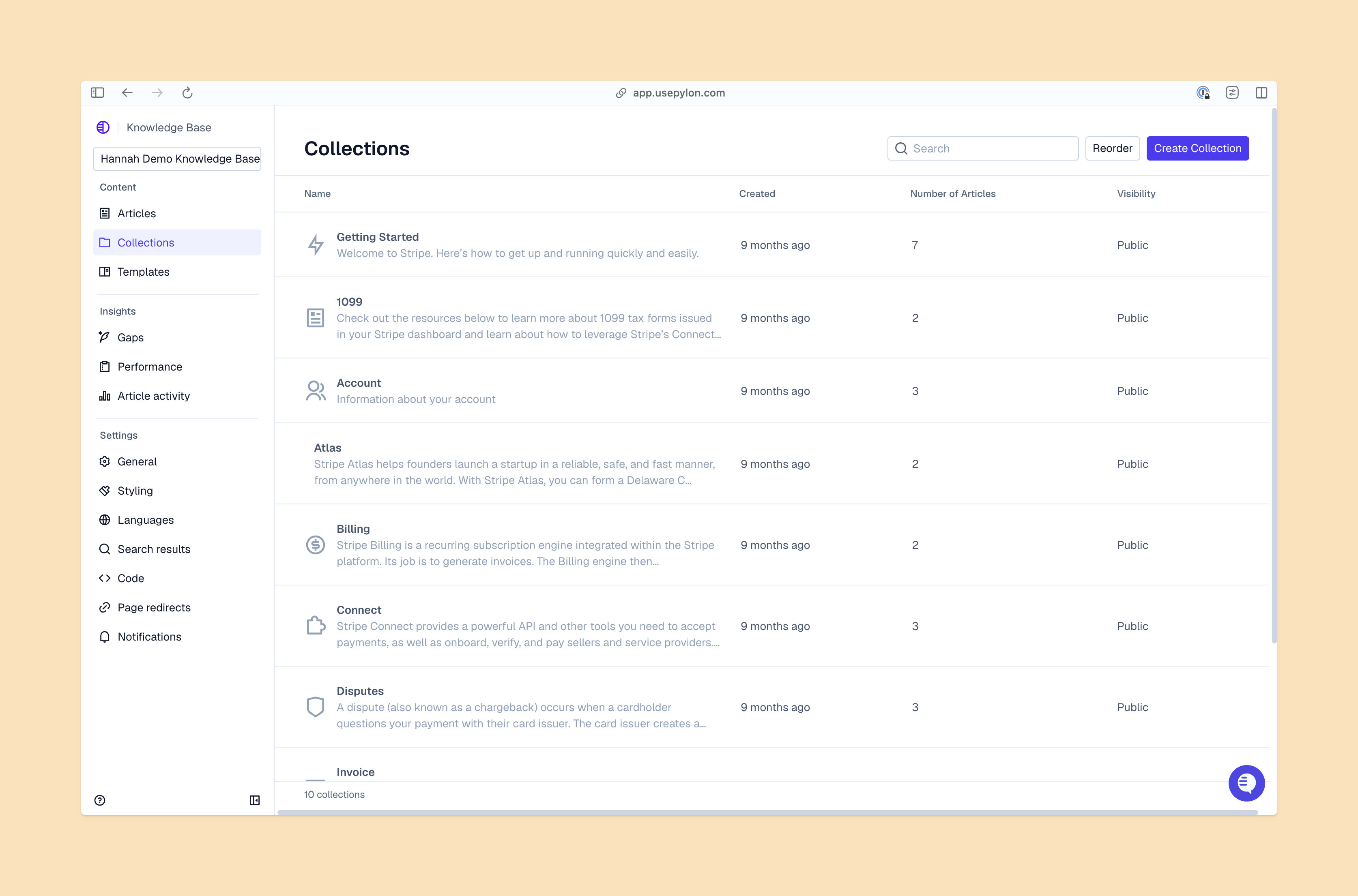
- Structure your content before you scale it. Set up categories that reflect the types of knowledge base articles you’ll publish, not just now but also in the future. Organize content around common topics or stages in the customer journey, and make sure those categories will remain relevant as the knowledge base scales.
- Write for both technical and non-technical readers. Because your knowledge base is a central source of truth for multiple teams and stakeholders, you need to write for a variety of audiences. Make your articles easy for non-technical readers to understand, but also include links to the technical details operations and dev teams need.
- Use visuals to show, not just tell. Quality images and screenshots help readers visualize the steps they need to take. Video tutorials are also a great learning option. For best results, offer a mix of content types that cater to different customer needs.
- Keep content fresh with regular audits. If your articles are out of date, customers get unreliable information and quickly stop using the knowledge base. 77% of customers say that offering a poor self-service experience is worse than nothing at all. So set up a regular process where you review articles, then update them to reflect changes in your products and customer base.
Apply what you learn from B2B knowledge base examples with Pylon
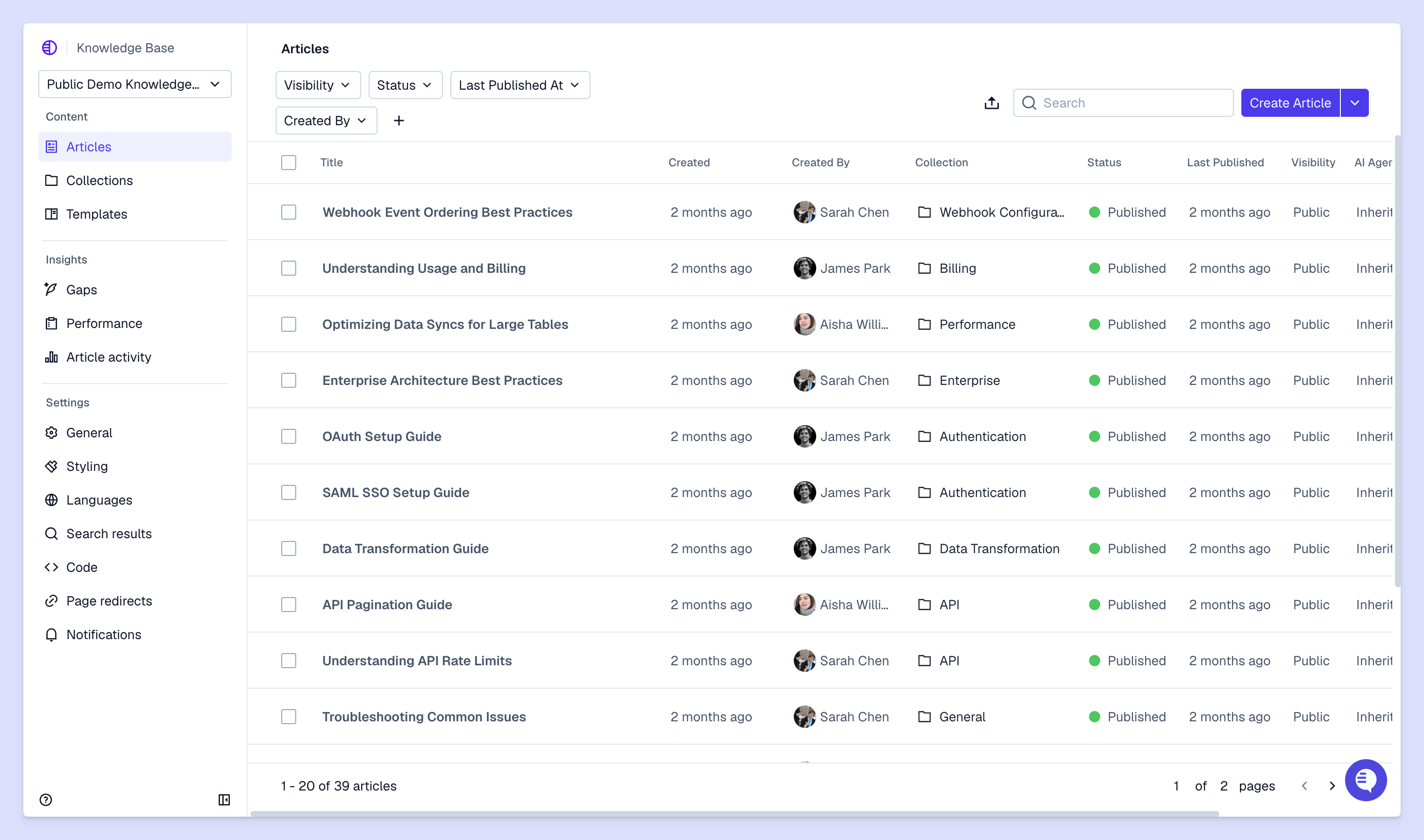
Pylon is designed for growing B2B support teams, and it helps you set up a knowledge base fast and keep it updated with minimal effort. Because Pylon’s AI can automatically turn support conversations into structured, searchable articles, all your team needs to do is review the content suggestions to keep the knowledge base useful.
Pylon is the Agentic Support Platform built for B2B support teams. It brings conversations across Slack, Teams, email, chat, and other channels into one place, giving AI the context to help resolve customer issues and continuously improve your knowledge base. Pylon can identify missing or outdated documentation, generate new content from real support conversations, and help your team keep knowledge accurate as your product evolves.
FAQ
What’s the difference between an internal and external knowledge base?
An external knowledge base faces your customers and covers product help, setup guides, and troubleshooting. An internal knowledge base faces your support team and holds processes, runbooks, and escalation paths. Most B2B companies need both, and in 2026, the strongest teams connect them. That way, internal runbooks feed AI agents that answer customer questions directly in Slack and email.
How do I know if my knowledge base is actually working?
Track search queries with no results; these are your content gaps. Monitor article ratings and find out which articles are linked most often in ticket resolutions. If your AI agents are hallucinating or escalating unnecessarily, that’s also a sign that your knowledge base content needs structure or coverage improvements.
How does AI change the way B2B knowledge bases work in 2026?
In 2026, leading support teams no longer treat knowledge bases as static documentation projects. AI platforms now draft articles automatically from recurring tickets, detect content gaps before they pile up, and feed structured answers to AI agents operating in Slack, Teams, and email. The knowledge base has become operational infrastructure, not just a help center.